
AI in Higher Education Blog Communications Compliance Edtech Enrollment
Sep 17 2026
What Your CRM Can’t Do (And Why Slate Schools Still Need Mongoose)



Text, Web Chat, WhatsApp, and the Inbox Assistant work together as one multi channel communication platform, so the harder decision is which work a person should still do. Choose channels by where students already reach you. Then let the Inbox Assistant, an AI agent, take only the routine replies, so your team keeps the conversations that need judgment.
It’s 8:05 on Monday morning, and Emily Carter, director of admissions at a mid-size public university, is already behind. The weekend’s messages are stacked in the shared inbox, and her provost left a question with her on Friday that she hasn’t answered: now that the team has Text, Web Chat, and an AI agent called the Inbox Assistant, doesn’t all of it come down to talking to students?
It’s a fair question, and Emily isn’t the only one hearing it. Most institutions add student communication tools one at a time: text messaging first, then a chat window on the website, then WhatsApp for international families, and now an AI agent. Each one solved a problem when it arrived. Together they make up multichannel communication, but side by side they can look like four ways to do the same job.
The data says otherwise. Mongoose’s 2026 State of Engagement in Higher Ed report analyzed 53.4 million messages across Text and Web Chat at 411 four-year colleges and universities during the 2024-2025 academic year, and the two channels behave very differently. Seeing how they differ is the fastest way to decide which ones your team needs.
It feels like four tools because each one involves a student and a message. They answer two separate questions, though.
Text, Web Chat, and WhatsApp answer it. They are the channels, the human conversations everything else builds on.
Your staff, the Inbox Assistant, or both. The Inbox Assistant is an AI agent that works on Text today, on top of the channel and not in place of it. Mongoose calls this category Staff Assistant Agents, because they extend what your staff can do.
Neither question depends on the other. Text works with no AI agent attached, and turning on the Inbox Assistant doesn’t require you to drop a channel or add one. A team running single-channel communication can add an agent without rebuilding anything, and a team running three channels can wait on the agent until routine volume calls for it. That independence keeps multichannel communication manageable for a small team.

The channel question has a clear answer once you look at your own inbound. The harder question is which work a person should still do, because it decides whether any of this gives your team time back.
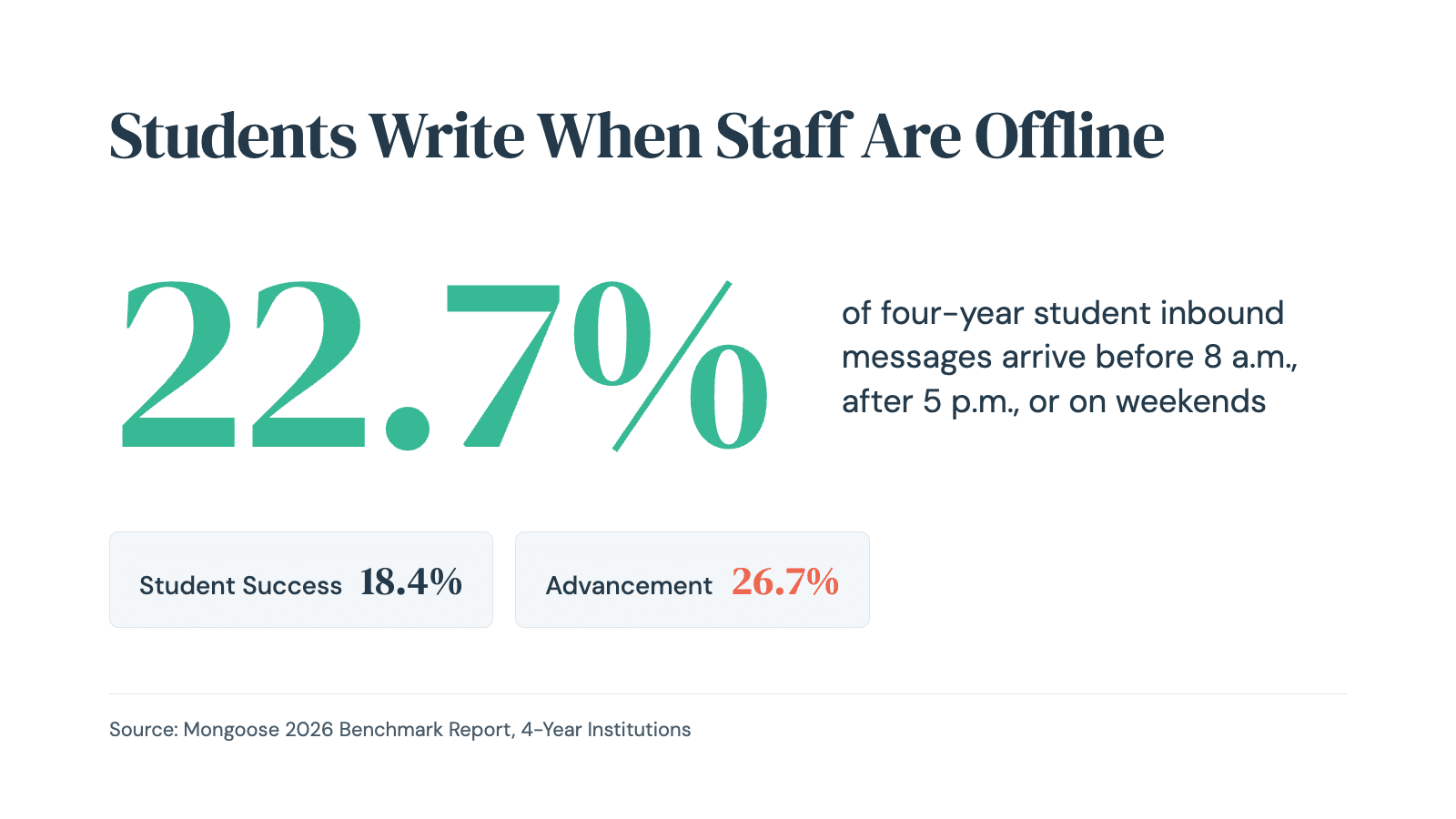
Timing shows why both questions matter. Across the 411 four-year institutions in the report, 22.7 percent of student inbound messages arrived before 8 a.m., after 5 p.m., or on a weekend, ranging from 18.4 percent in Student Success to 26.7 percent in Advancement.
Web Chat shows the same pattern: 43 percent of conversations arrive after hours, and the self-service rate holds at 74 percent even then. On Text, student messages keep arriving while institutional outbound drops off sharply, so a message sent at 9 p.m. waits until staff are back.
Want the numbers behind this? Get the 2026 State of Engagement in Higher Ed report for four-year institutions, or the edition for community and technical colleges.
Multichannel communication works when each channel has a job. Here is what each one is for.
Reply rates in the four-year data averaged 3.66 percent for Enrollment, 5.17 percent for Student Success, and 4.44 percent for Advancement. Smart Messages, which branch based on how a student replies, earned 2.3 to 4.1 times the reply rate of standard outreach, depending on the team. Shared Inboxes keep a team in one place, and Segments reach the right students, such as every incomplete application with no reply in seven days.
A prospective student researching at midnight hasn’t given you a phone number, so Web Chat meets them on your website, and Text Follow-Up carries the conversation into Text once they agree, documenting their text-messaging consent along the way. Across the Web Chat dataset, AI-assisted conversations captured 34,000 leads without a staff member typing a reply. Web Chat’s AI Assistants answer visitors in the moment, which makes them a feature of the channel and not the Inbox Assistant.
Team Templates keep multilingual outreach consistent across offices, and Outbound Messages let you start or continue a conversation outside WhatsApp’s 24-hour window. Thomas More University uses Text for domestic students and WhatsApp for international students, both connected to Slate, and one person runs every campaign.
Gwinnett Technical College’s call center of four staff members and a manager supports nearly 13,000 students with Text and AI-powered Web Chat. When a registration problem hit on the first day of classes, email couldn’t reach every student in a day, and Text did.
Put the timing findings side by side and a gap appears. Web Chat has automated coverage overnight, while Text, where students keep writing after hours, waits for a person. The Inbox Assistant, an AI agent that works on Text, is built for that gap, reading incoming messages and answering common questions from your institution’s approved knowledge. Unlike chatbots that only reply, it flags high-priority messages so a person sees them first.
Missed messages carry a cost. In the four-year data, 9.3 percent of Enrollment conversations and 8.8 percent of Student Success conversations received no staff reply, and Mental Health conversations went unanswered 10.6 percent of the time, the most sensitive topic in the dataset.
The Inbox Assistant doesn’t decide those conversations. Anything outside your approved knowledge, or flagged as high priority, goes to a staff member, and every conversation stays visible to your team. Our guide to human-in-the-loop AI in student success walks through how oversight and escalation work day to day.
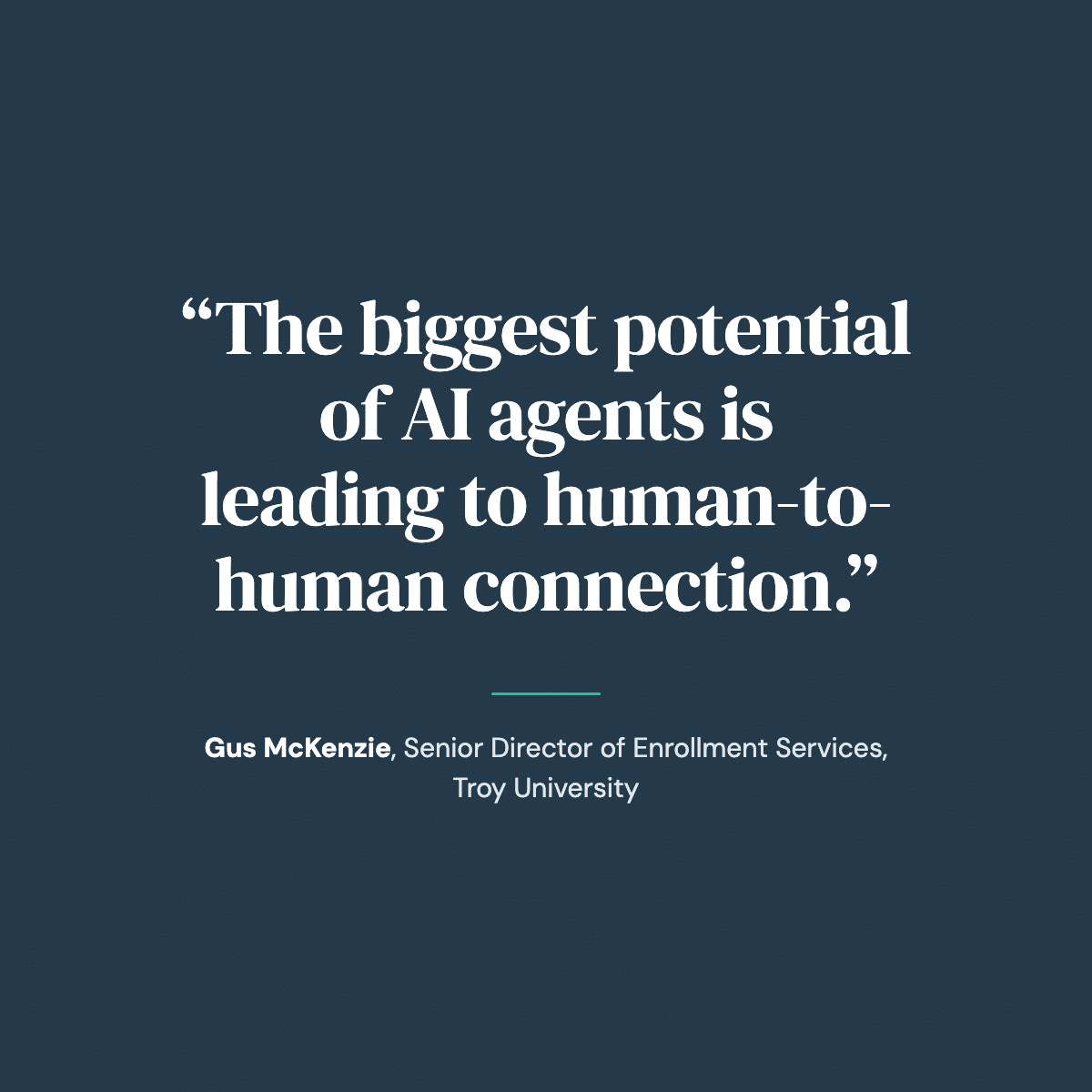
Gus McKenzie, senior director of enrollment services at Troy University, put the goal plainly in a Mongoose customer testimonial video: “The biggest potential of AI agents is leading to human-to-human connection.” AI handles the routine. Humans handle the work they came here to do.
If you’re wondering how this differs from the AI chatbots you may have tried, our FAQ on AI agents for admissions, student success, and advancement answers it directly.
Note: the Inbox Assistant works on Text today. The Application Completion Agent, Enrollment Yield Agent, and Student Retention Agent are Outcome Agents still in development, so everything here describes what you can use now.
Three questions get most teams to a multi-channel communication strategy that fits their staff.
The first answer picks your channels. The second shows whether you have a coverage gap. The third sets how much the Inbox Assistant takes and how much stays with staff. Together, the three answers give you a multi-channel communication strategy built from your own inbound.
You don’t have to turn everything on. Single-channel communication, Text alone, is a sound starting point for a small office, and omnichannel communication can wait until a specific audience calls for it.
Multichannel communication means adding a channel when that audience needs it, such as website visitors who haven’t shared a number or families abroad, and not running every channel at once. Text works alongside email and phone calls, not in place of them.
In Enrollment, the median shared inbox holds 303 contacts, and the 90th percentile holds 3,268. Emily’s team would run Text as the main channel and Web Chat for prospective students still researching, and lean on the Inbox Assistant for the routine questions that pile up over a weekend, so counselors can start Monday with the conversations that need them.
In Student Success, the median shared inbox holds 168 contacts, and the 90th percentile holds 1,266. Text carries the check-ins, and routine appointment questions are the natural first work for the Inbox Assistant. A message about leaving school is the kind it flags for an advisor, which keeps a person in the conversation that matters most.
Advancement inboxes run the largest, with a median of 2,150 contacts and 8,359 at the 90th percentile. In the data, 26.7 percent of inbound messages arrived outside business hours, and reply rates peaked at 5 p.m. and on Sundays. Text and WhatsApp together reach domestic and international constituents, and staff time goes to stewardship.
The pattern holds at two-year institutions. In the two-year report, covering 646,423 conversations at 109 community and technical colleges, 17.2 percent of student messages arrived outside business hours, 47 percent of Web Chat conversations did, and only 6 percent of Web Chat conversations escalated to a live person. The two-year report has the full breakdown.
No, none of this replaces Slate, Salesforce, Banner, Colleague, or Workday, whichever system holds your student records. Mongoose, the AI Engagement Platform, sits above your CRM as the engagement layer and syncs through its connectors, so multichannel communication reflects where a student actually is.
The CRM stores the record, and Mongoose is where the conversation happens. If your CRM already sends texts, our breakdown of what your CRM can’t do covers where a two-way conversation layer adds to it.
If you’re the person counting how many tools touch a student, the consolidation answer is one engagement layer for every office that talks to students, above the CRM you already run. EDUCAUSE’s 2026 Top 10 survey of 450 institutions, as reported by Inside Higher Ed, found economic and political uncertainty pushing colleges to streamline their technology environments while they keep up with AI.
A clear account of what each piece does is the first step in that kind of review. For IT teams, the AI agents are human-supervised, run on Azure OpenAI Service in a private Azure environment, and never train on institutional or student data.
Today you can use all three channels for different jobs, with the Inbox Assistant working on Text. The Outcome Agents are in development, and they will sit above the same channels, so the framework holds as they arrive. Vendors call this omnichannel communication or unified communication, and sell it as multichannel communication solutions.
The label matters less than whether every student who needs a response gets one, on a channel they’ll see, with routine work no longer using up your staff’s day.
Same team. More capacity. Better outcomes.
Book a demo and walk through which channels, and which routine work, make sense for your enrollment, student success, or advancement team.